retro_player.mp3

YOUR MP3s,
LIKE IT’S 2003.

retro_player.mp3 is an offline MP3 player for iPhone and Mac. It plays the music you already own on a square LED display, the way a player from 1983 would have if it had been designed in Germany and shipped in 2003.

Free. No account, no streaming, no ads.

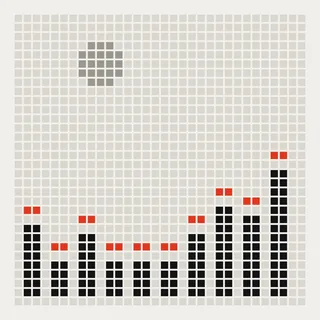
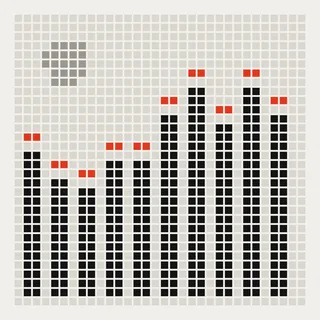
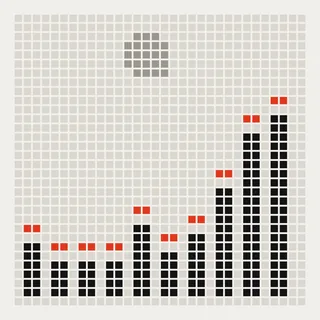
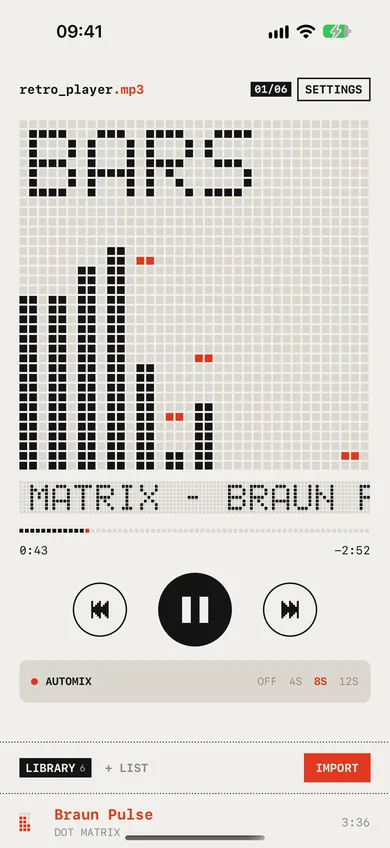
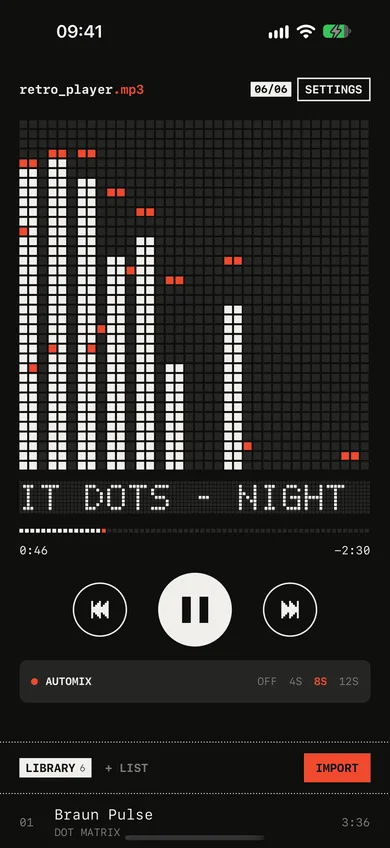
Bars: twelve columns with red peak caps that hang, then fall.

Tap the display to change style, like in the app. The demo is silent. Pick or drop an MP3 to see your own music; it never leaves this tab.

ON YOUR IPHONE. ON YOUR MAC.

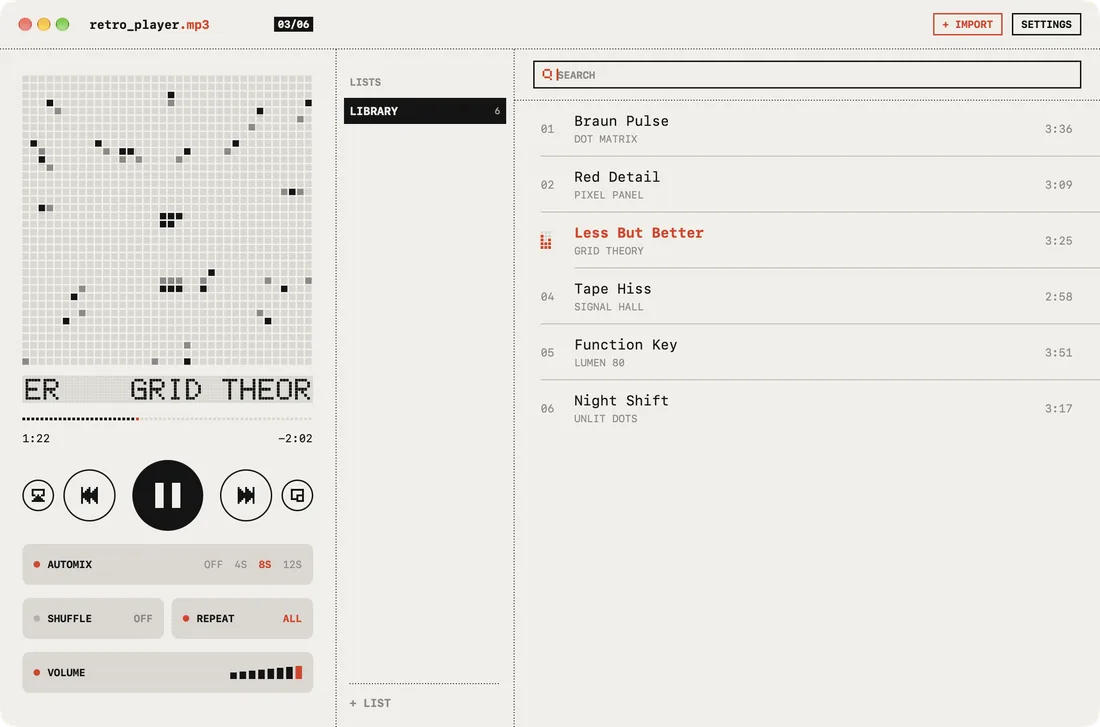
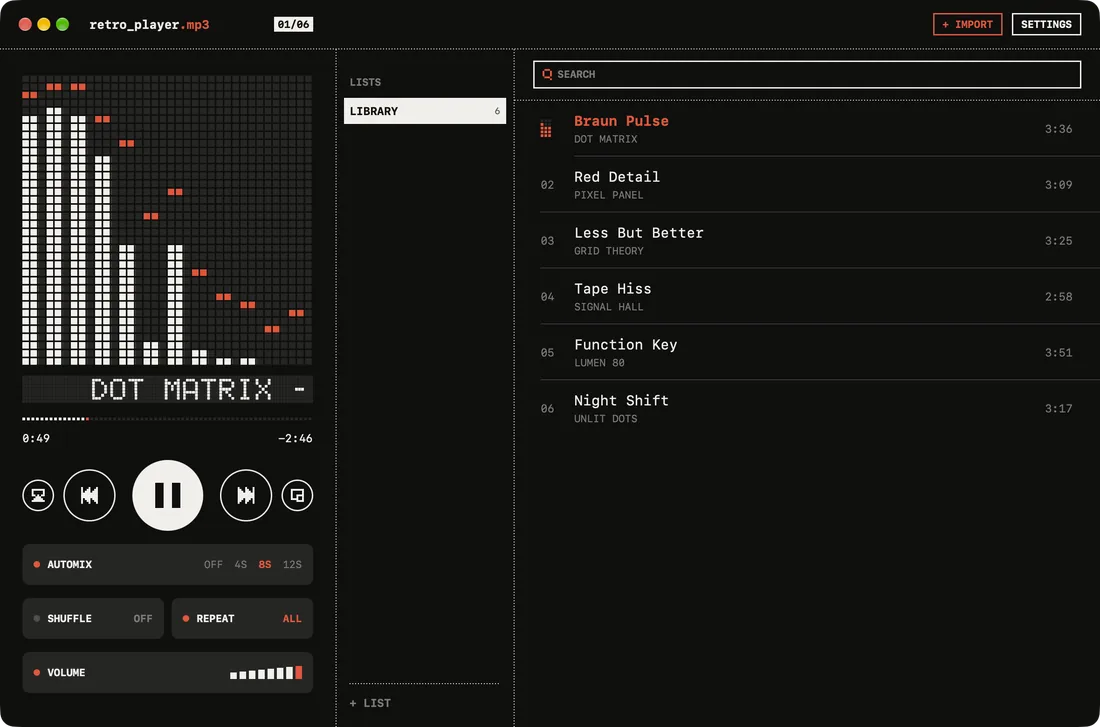
One App Store listing, one free download for both. The Mac gets the same player in a window, with your lists and a search field beside it.

retro_player.mp3 on the Mac in light mode: the Bars display, transport keys, Automix, Shuffle, Repeat and Volume beside the library list. retro_player.mp3 on the Mac in dark mode: the Bars display, transport keys, Automix, Shuffle, Repeat and Volume beside the library list.
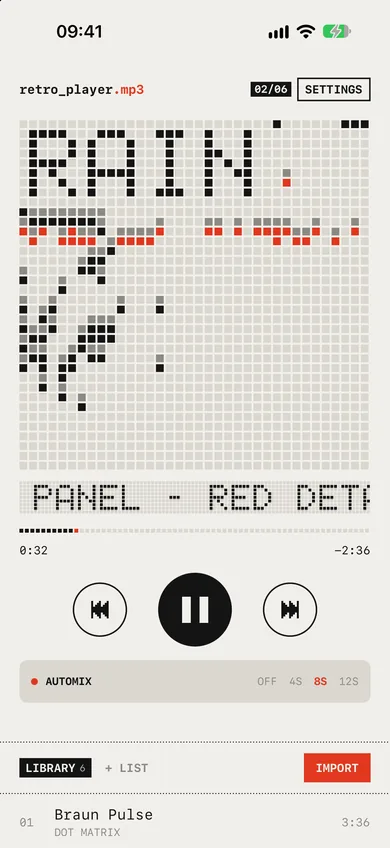
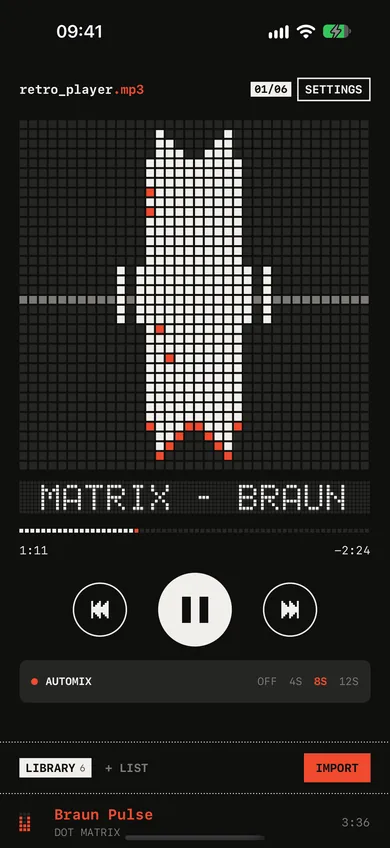
retro_player.mp3 on iPhone in light mode, playing with the Bars display. retro_player.mp3 on iPhone in dark mode, playing with the Bars display.

Warm paper by day, black glass after dark. The app follows your device; this page follows the switch at the top.

IPHONE

  • Big keys, one red light, and controls on the lock screen and in Control Center.
  • On iPhone Duo the player sits on one side and your lists on the other, the fold between them.
  • Turn it on its side for a deck layout.

Requires iOS 17 or later.

Download on the App Storefor iPhone

MAC

  • Drag files onto the window, or press ⌘O to import.
  • Space plays and pauses, the arrow keys skip and set the volume, ⌘F finds a track.
  • A mini player that stays out of the way: ⌥⌘M.

Requires macOS 15 or later.

Download on the App Storefor Mac
  • The Pulse display in dark mode.
    Pulse, after dark
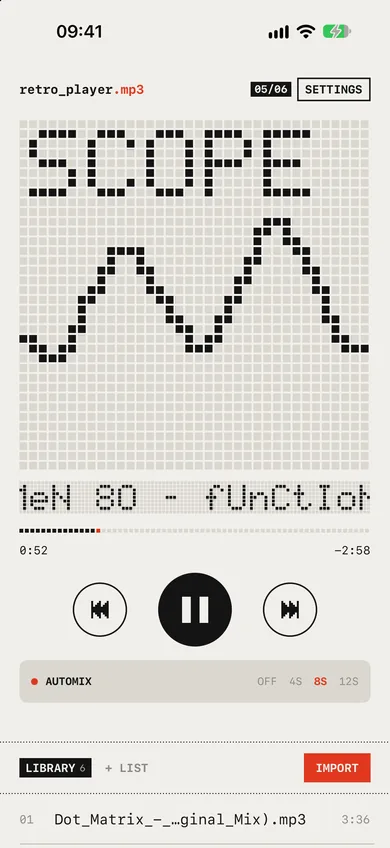
  • The Scope display showing an oscilloscope trace.
    Scope
  • The Rain display, with drops falling from the spectrum line.
    Rain
  • The Mirror display in dark mode.
    Mirror, after dark
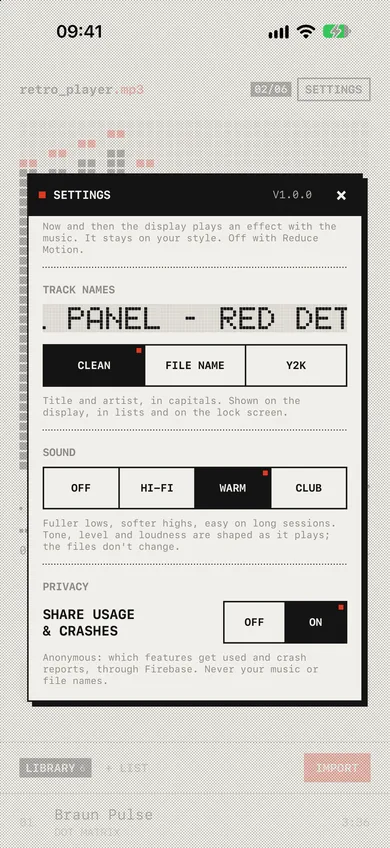
  • Settings, with the display style picker, track names and Sound set to Warm.
    Settings

LIKE A CD PLAYER, FOR YOUR FILES.

Black, white and one red. Less, but better.

EVERY BEAT ON 1,296 DOTS.

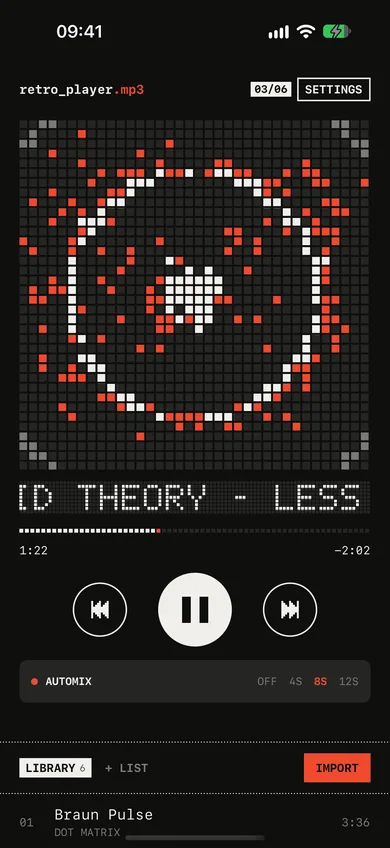
A 36 × 36 LED panel plays along with your music, unlit dots and all. Six styles: Bars, Mirror, Scope, Pulse, Warp and Rain. Tap the display and the dots fly over to the next one.

Leave Auto VJ on and now and then the panel plays an effect on its own: a swirl, a burst, a dissolve or a CRT wipe.

  • Bars
  • Mirror
  • Scope
  • Pulse
  • Warp
  • Rain

AUTOMIX LIKE A MIXTAPE.

Turn it on and every track crossfades into the next. retro_player trims the silence at the end of one song and the start of the next, so the mix lands on the music.

AUTOMIX

PICK A SOUND.

Hi-Fi, Warm or Club, shaped as it plays: an EQ, gentle compression and a limiter on everything you hear. It can’t restore what an MP3 threw away, and your files never change.

SOUND

PIXEL ART FOR EVERY TRACK.

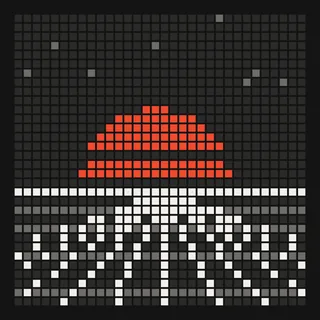
Every song gets its own generated LED cover: invaders, synthwave suns, rings, skylines. It shows on the lock screen and in Control Center too.

  • Generated dot cover
  • Generated dot cover
  • Generated dot cover
  • Generated dot cover
  • Generated dot cover
  • Generated dot cover

CLEAN, RAW OR Y2K.

Show track names clean, as the raw file name, or the way they looked on a 2003 file share.

TRACK NAMES

xX~gRiD tHeOrY - lEsS bUt BeTtEr~Xx.mp3

WORKS IN AIRPLANE MODE.

Your music lives on your device, so it plays with no signal. MP3, M4A, AAC, WAV and AIFF. Make lists, reorder them, play them.

  1. 01Braun PulseDot Matrix3:36
  2. 02Red DetailPixel Panel3:09
  3. PlayingLess But BetterGrid Theory3:25
  4. 04Tape HissSignal Hall2:58

GET YOUR MP3s IN.

retro_player.mp3 has no store and no streaming. You bring the files. Three ways to get them onto an iPhone:

FILES APP

  1. Put your music in Files: iCloud Drive, On My iPhone, or a USB drive.
  2. In retro_player.mp3, tap IMPORT.
  3. Pick the tracks. You can select a whole folder’s worth at once.

AIRDROP

  1. On your Mac, select the files and choose Share › AirDrop, then your iPhone.
  2. Accept on the iPhone. If it asks which app, pick retro_player.mp3.
  3. If they land in Files › Downloads instead, tap IMPORT and pick them there.

MAC FINDER

  1. Connect your iPhone to the Mac and select it in the Finder sidebar.
  2. Open the Files tab.
  3. Drag your MP3s onto retro_player.mp3. They appear in the library.

On the Mac app itself, drag files onto the window or press ⌘O.

NO ACCOUNT. NO FEED.

retro_player.mp3 never sees your music. Your files, titles, artists, file names and list names stay on your device. There are no ads, and nothing tracks you across other apps or websites.

To find bugs, the app sends anonymous crash reports and counts of which features get used. You can turn that off in Settings › Privacy. This website has no cookies and no analytics.

Read the privacy policy

  • AccountNone
  • AdsNone
  • StreamingNone
  • Your music and its namesNever sent
  • Anonymous crash reportsYour choice

QUESTIONS.

Is it free?

Yes. retro_player.mp3 is free on the App Store for iPhone and Mac, with no ads and no subscription.

Does it work offline?

Completely. It plays files stored on your device, so it works in airplane mode, on the underground and anywhere else without a signal.

Can it play Spotify or Apple Music?

No. It plays audio files you own: MP3, M4A, AAC, WAV and AIFF. Downloads from streaming services are locked to their own apps. Music you bought from the iTunes Store, ripped from CDs or downloaded from Bandcamp works.

Is there a Mac MP3 player too?

Yes. The same App Store listing installs a native Mac app with the full player, your lists, search, a mini player and keyboard shortcuts. It needs macOS 15 or later.

Does my library sync between iPhone and Mac?

No. Each device keeps its own library, inside the app. Import the files you want on each one.

Which iPhones does it run on?

Any iPhone with iOS 17 or later. On iPhone Duo it opens into two panes: the player on one side, your lists on the other.

What happens to my music if I delete the app?

Imported copies, lists and settings are removed with the app. The originals you imported from stay where they were.

Is the display on this page the real one?

It’s the app’s display code, ported to the browser: the same 36 × 36 grid, the same six styles and the same transitions. If you play your own file here, it is analysed inside this tab and never uploaded.

Something else? See support or email josepbordesjove@gmail.com.

NO FEED. JUST YOUR SONGS.

Import from Files and press play.